Hiya everyone! Hope you’ve been having a wonderful 2026 so far! I’ve been pretty good. Lots of crafting, plotting, planning, and gaming has been happening behind the scenes here!
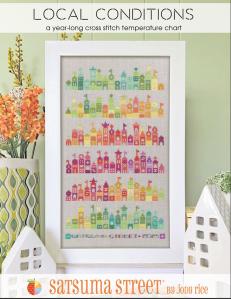 I wanted to tell you a bit about a year-long cross stitch project that I started just shortly after the new year. It is a temperature blanket-style Cross Stitch called “Local Conditions” by Satsuma Street. If you would like to join in on an impromptu Stitch Along (SAL) for 2026, the pattern can be found here for purchase.
In case you’ve never heard of/done a temperature blanket before, it is basically where you grab the highest temperature every day in a given year. Each temperature range is associated with a certain color. In the case of “Local Conditions,” there are ranges of 3 degrees (both in Celsius and Fahrenheit) that are associated with a certain DMC (Cross Stitching Floss) color. I will be using Fahrenheit temperatures going forward, and the colors associated with 17 up to 100 degrees. This is mostly, because those are the average temperatures that my area tends to get to. Especially over the past few years.
If it happens that we go outside of that range, I’ll purchase those colors separately and put off that day’s color until they arrive.
I’m not going to lie. I’m VERY happy with the range of colors associated with this range, and I can’t wait to see if we get to all of them. Even a tiny bit of each color will make for an AMAZING range/palate of colors.
I started kitting up this project in mid-December, JUST after ordering and receiving all 25 colors. I’ve organized all the colors on 2 metal rings. 1 for Cold Colors and 1 for Hot Colors. I’m using the capitalization to show you how I labeled each ring. I completed the kitting up of the kit on New Years with my Twitch streamers. It took me a bit, but I now have a 14 count Aida canvas in the “Oatmeal” color cut down to the pattern’s specs. I also set up everything I would need to get the project started almost right away in 2026.
I made an introduction video to show everyone this entire kitting up progress, including the parts of the New Year’s Stream where I was working on it.
Now. I’m not going to lie. I’ve been changing my mind CONSTANTLY about the source of where I get my daily Temperature Data. Or, if I’m being honest, I’ve had a few growing pains using the website the designer suggests for us to grab the data. I’m not going to lie, the first 3 days (also known as “Week 1”) were pulled from my partner’s phone daily until I finally figured out how to force Wunderground to do what I needed it to do. Like, until the 3rd.
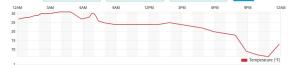 Here’s an example of what I’m talking about. EE’s phone collected 26 as a high temperature. However… The station that pulled the temperature reported it was 31. See the chart above. To say it all frustrated me, was an understatement… lol
It took me a hot minute to realize that it was defaulting me to a station that was on the coast of the state I live in, and not something closer to me. I’m in the middle of the state, ya’ll… Temperatures can change DRASTICALLY between the waterfront and here!
Once I got it all set up right for our area, it’s been smoother sailing from there. I made plans to work on the project every Saturday to keep it moving all year. Then, one day, I noticed that the highest temperature wasn’t ALWAYS around the midway point of the day. In fact, I noticed that around the time I was wrapping up for Week 2.
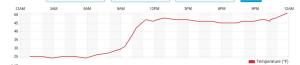
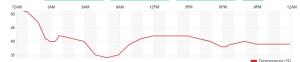 I grabbed the data from the 9th and 10th, and saw that the highest temperature wasn’t until the middle of the night (which explains the night sweats, but THAT’S another story… lol). What this means, is that I cannot simply grab the daily temperatures around 3 in the afternoon on Saturday and have all the data I need to cross stitch this project correctly. I had to switch the weeks to Saturday through Friday, if I intended to keep up working on it every Saturday. Which is fine. I SWEAR I can adjust… lol.
From here on out, I’m going to be updating this post weekly. I’ll try to include my thoughts each week on how it’s all going. I’m also adding videos of my progress on YouTube. If you’d like to follow along, I’ve already made a playlist titled “Local Conditions/2026’s Temp Xstitch Project.” All those videos will pop up every Sunday morning, and will be added to that playlist.
To find out what I’ve updated recently, please make sure you’ve clicked the link to each month below…
January:
Week 1: 1st -> 3rd 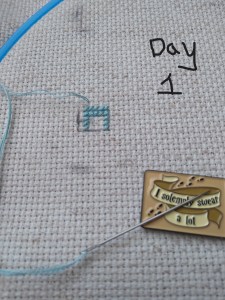
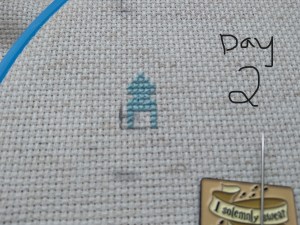
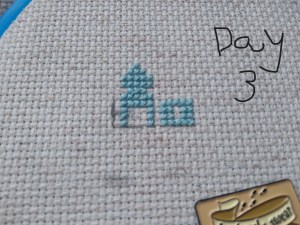
So, this is one of the odd weeks. As I mentioned above, I had issues figuring out how and when I wanted to work on each day of this project. That, and I was a bit trolled by some brain fog, as I tried to figure out how the app works. It’s okay though. We figured it out. It ended up that all three of these days were the same color, so I had some fun stitching them. Here are the pictures I took of each day, so you can see the progression of the days. As you can see, there aren’t many stitches to do each day. It’s what got me thinking that I should give some time between stitching sessions. As I know myself, I thought stitching every Saturday would be the PERFECT way to make sure I keep this project going at a good pace. Usually, I’ll binge projects (and work on them for long amounts of time, risking injuries) until they make me mad, then put them aside for months. I didn’t want to do that to this project, so… This is my solution.
Week 2: 4th -> 9th 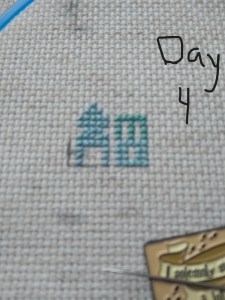
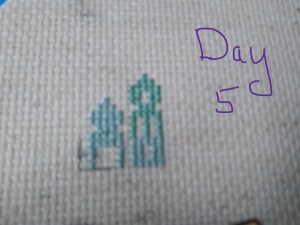

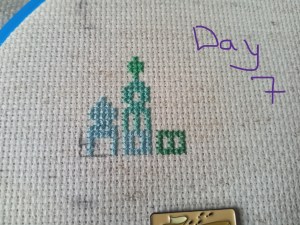
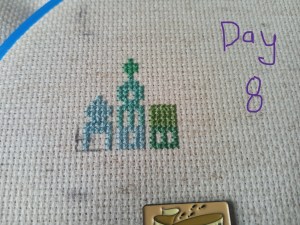
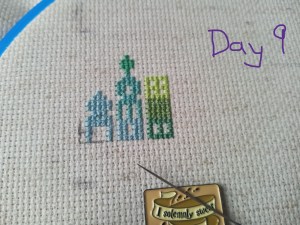
Week 2 was where I started to settle into the project a bit. Figured out what I needed to do a bit more. I made EE print off the charts that the designer provided until April during this week. This way, I can check in every day for the high temps from the night before if I remember or have time. Otherwise, I’ll grab it all at the end of the week. It will depend on how I’m feeling. You know how I do… lol. I personally like having the option of a physical copy of it all, as well as in digital format. Just in case… I tend to put things in a “safe place” and then lose the “safe place” almost right away. I think I’ll note… That place is currently in my purple agenda. Just in case I ask you, you can remind me… lol 😉
Here is the wrap up video I created for Weeks 1 & 2:
Week 3: 10th->16th 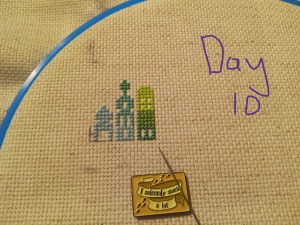
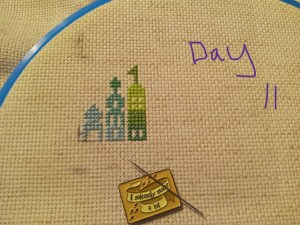
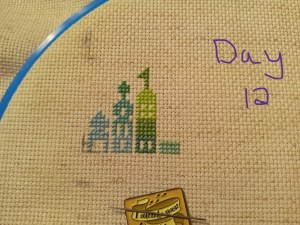
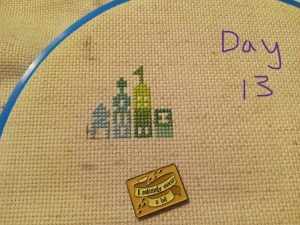
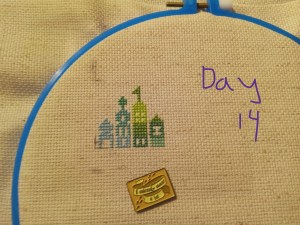
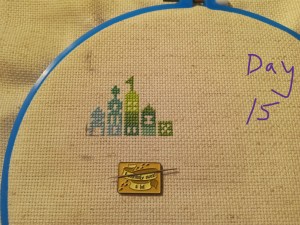
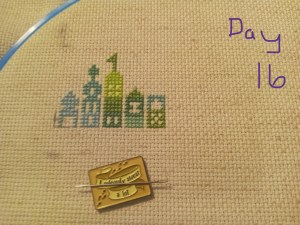
This is the week I finally remembered that I had wanted to update ya’ll on “2026’s Temp Xtitch.” Both in blog format, and YT video. So I’ve been doing a bit of catch up on that, as you can see. Other than that, the weather has been pretty level, but I could see there are a BUNCH of different changes in colors I’d be using this week. I realized this by Thursday morning. It got me VERY excited to work on it yesterday. You can see what I mean in the pictures and the video I put up earlier today.
Here is the wrap up video I created for Week 3:
Week 4: 17th->23rd
Week 5: 24th -> 30th
February:
Week 6: Jan 31st -> Feb 6th
Week 7: 7th -> 13th
Week 8: 14th ->20th
Week 9: 21st -> 27th
March:
Week 10: February 28th -> March 6th
Week 11: 7th -> 13th
Week 12: 14th -> 20th
Week 13: 21st -> 27th
Week 14: March 28th->April 3rd
April:
Week 15: 4th-> 10th
Week 16: 11th -> 17th
Week 17: 18th -> 24th
Week 18: April 25th -> May 1st
May:
Week 19: 2 -> 8
Week 20: 9 -> 15
Week 21: 16 -> 22
Week 22: 23 -> 29
June:
Week 23: May 30th -> June 5th
Week 24: 6th -> 12th
Week 25: 13th -> 19th
Week 26: 20th -> 26th
Week 27: June 27th -> July 3rd
July:
Week 28: 4th -> 10th
Week 29: 11th -> 17th
Week 30: 18th -> 24th
Week 31: 25th -> 31st
August:
Week 32: 1st -> 7th
Week 33: 8th -> 14th
Week 34: 15th -> 21st
Week 35: 22nd -> 28th
September:
Week 36: August 29th -> September 4th
Week 37: 5th -> 11th
Week 38: 12th -> 18th
Week 39: 19th -> 25th
Week 40: September 26th -> October 2nd
October:
Week 41: 3rd -> 9th
Week 42: 10th ->16th
Week 43: 17th -> 23rd
Week 44: 24th -> 30th
November:
Week 45: October 31st -> November 6th
Week 46: 7th ->13th
Week 47: 14th ->20th
Week 48: 21st ->27th
December:
Week 49: November 28th -> December 4th
Week 50: 5th -> 11th
Week 51: 12th -> 18th
Week 52: 19th -> 25th
Week 53: 26th -> 31st
Hope you enjoyed watching this project’s progress as much as I have enjoyed working on it!
Until Next Time, Happy Crafting!
-Silver-
 Silver's Crafty Zen